About Olathe Public Library
Use the Olathe Public Library app to browse the library collection, view and manage account information and plan your next visit. Version History Stability improvements for a smoother app launch and sign-in experience...
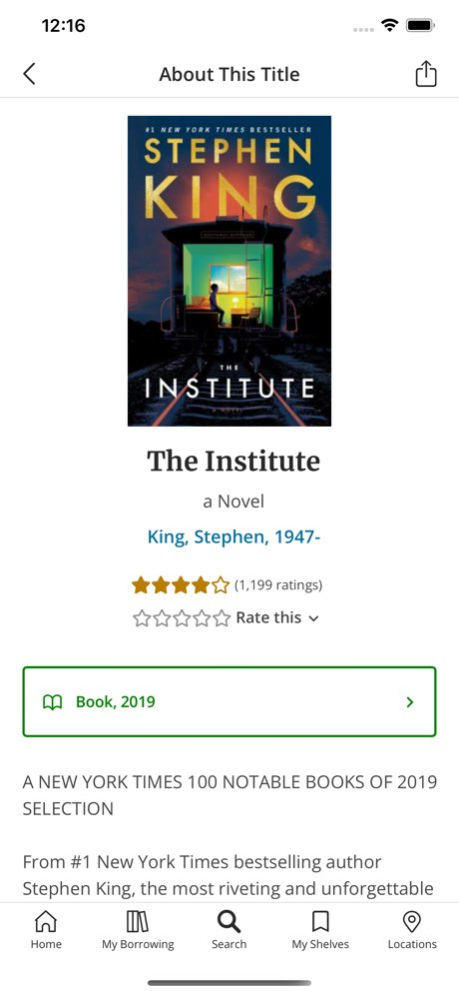
Use the Olathe Public Library app to browse the library collection, view and manage account information and plan your next visit.
Version History Stability improvements for a smoother app launch and sign-in experience 2.24.0 Sep 8 Improved VoiceOver support for library carousels Enhanced device security detection Security and networking improvements Bug fixes and stability improvements 2.23.0 Jun 16 Resolved an issue that required some users to log in every time they opened the app. 2.22.2 Mar 25 - Links that previously opened in an external browser now open directly inside the app, allowing for more seamless in‑app browsing. - Various bug fixes and performance improvements. 2.22.1 Mar 19 Resolved splash screen loading issue on older iPadOS versions. Corrected duplicate or incorrect opening hours display in iOS 26. Fixed PIN/Password reset errors causing login failures and account logouts. Removed large blank space in Format filters on iOS 18; layout now displays correctly. 2.21.0 12/09/2025 Improved accessibility, guided by WCAG 2.2 (Level AA) standards. New and updated format icons now appear in search results. General bug fixes and small design improvements. 2.20.1 10/29/2025 Added audience, genre, and language filters to the ‘New at the Library’ carousels. The minimum supported version of iOS has been updated to iOS 16.0. Includes bug fixes. 2.19.0 07/02/2025 Includes minor UI improvements and bug fixes. 2.18.0 03/27/2025 Call numbers are now displayed in the bottom sheet that opens when you tap the ellipsis next to an item in the search results. Improved accessibility on the “Select Preferred Locations” screen. Includes bug fixes and minor interface enhancements. 2.17.1 12/04/2024 Addressed an issue where the camera on certain iPhone models had difficulty detecting barcodes at short range, improving scanning reliability. In search results, titles without a jacket cover now display a clearer, format-specific fallback image for better visual consistency and user experience. Includes various usability improvements and minor bug fixes. 2.16.2 10/22/2024 Home screen customization settings were lost after logging out. This issue has been fixed, and settings are now retained. System messages continued to appear as new even after being viewed and acknowledged. This issue has been fixed. The library card did not always display the updated expiry date. This has been corrected. This release also includes some backend platform updates. 2.15.0 07/09/2024 Saved searches are now accessible from the search screen. The feature allows you to seamlessly access, create, and manage your saved searches within the app. This release also includes smaller bug fixes. 2.14.0 03/25/2024 We’ve introduced a customizable home screen feature, empowering you to prioritize specific sections and streamline navigation. This gives you greater control over your home screen layout. This release also includes some bug fixes. 2.13.1 12/15/2023 App version information can now be found under ‘About this app’. This release also includes bug fixes. 2.12.0 09/12/2023 Multiple accounts support has been added. Landscape mode has been enabled. List cards will now display the list type. Jailbreak detection has been added for enhanced security. This release also includes smaller UX improvements, accessibility enhancements, and bug fixes. 2.11.0 07/10/2023 Branch details screens now include local events. Search results can now be sorted. An item’s availability can now be seen from search results. Barcodes can be scanned from the login screen. This release also includes smaller UX improvements and bug fixes. 2.10.0 03/20/2023 Some users were seeing an incorrect barcode for their linked account. This has been fixed. 2.9.2 01/23/2023 Auto-suggestions have been added to keyword search. The My Shelves screen now provides an overview of your shelves with quick access to itemised displays of your account. Event cards now display ‘Featured’ and ‘Canceled’ labels. You will also be able to filter events by Featured and Canceled. Language translations have been updated. This release also includes smaller UX improvements as well as behind the scenes accessibility enhancements, improvements, and bug fixes. 2.9.1 12/12/2022 The Olathe Public Library app has been rebuilt from the ground up for you to discover new titles, plan your next visit, and browse recommendations curated by your library staff. The app includes some great new features! - Clean modern design - A new search screen that groups titles by format - Lists of great titles created by your library staff - Personalized elements to show information relevant to you - Opening hours and details of your favourite library locations 2.7.0 12/13/2021 Speed improvements and bug fixes. Resolves an issue where filters might not have worked properly 1.13.5 10/11/2018 Speed Improvements and bug fixes 1.13.4 09/06/2018 Bug fixes and speed improvements 1.13.3 03/23/2018 Corrects an issue where location might not show for some users. 1.13.2 03/13/2018 Bug fixes 1.13.1 11/01/2017 Various Bug Fixes and Speed Improvements. 1.13 06/05/2017
Previous Versions
Here you can find the changelog of Olathe Public Library since it was posted on our website on 2016-09-24 20:22:10.
The latest version is 2.24.0 and it was updated on 2026-10-12 20:34:59. See below the changes in each version.
Olathe Public Library version 2.24.0
Updated At: 2026-10-08
Changes: Version History Stability improvements for a smoother app launch and sign-in experience 2.24.0 Sep 8 Improved VoiceOver support for library carousels
Enhanced device security detection
Security and networking improvements
Bug fixes and stability improvements 2.23.0 Jun 16 Resolved an issue that required some users to log in every time they opened the app. 2.22.2 Mar 25 - Links that previously opened in an external browser now open directly inside the app, allowing for more seamless in‑app browsing.
- Various bug fixes and performance improvements. 2.22.1 Mar 19 Resolved splash screen loading issue on older iPadOS versions.
Corrected duplicate or incorrect opening hours display in iOS 26.
Fixed PIN/Password reset errors causing login failures and account logouts.
Removed large blank space in Format filters on iOS 18; layout now displays correctly. 2.21.0 12/09/2025 Improved accessibility, guided by WCAG 2.2 (Level AA) standards.
New and updated format icons now appear in search results.
General bug fixes and small design improvements. 2.20.1 10/29/2025 Added audience, genre, and language filters to the ‘New at the Library’ carousels.
The minimum supported version of iOS has been updated to iOS 16.0.
Includes bug fixes. 2.19.0 07/02/2025 Includes minor UI improvements and bug fixes. 2.18.0 03/27/2025 Call numbers are now displayed in the bottom sheet that opens when you tap the ellipsis next to an item in the search results.
Improved accessibility on the “Select Preferred Locations” screen.
Includes bug fixes and minor interface enhancements. 2.17.1 12/04/2024 Addressed an issue where the camera on certain iPhone models had difficulty detecting barcodes at short range, improving scanning reliability.
In search results, titles without a jacket cover now display a clearer, format-specific fallback image for better visual consistency and user experience.
Includes various usability improvements and minor bug fixes. 2.16.2 10/22/2024 Home screen customization settings were lost after logging out. This issue has been fixed, and settings are now retained.
System messages continued to appear as new even after being viewed and acknowledged. This issue has been fixed.
The library card did not always display the updated expiry date. This has been corrected.
This release also includes some backend platform updates. 2.15.0 07/09/2024 Saved searches are now accessible from the search screen. The feature allows you to seamlessly access, create, and manage your saved searches within the app.
This release also includes smaller bug fixes. 2.14.0 03/25/2024 We’ve introduced a customizable home screen feature, empowering you to prioritize specific sections and streamline navigation. This gives you greater control over your home screen layout.
This release also includes some bug fixes. 2.13.1 12/15/2023 App version information can now be found under ‘About this app’.
This release also includes bug fixes. 2.12.0 09/12/2023 Multiple accounts support has been added.
Landscape mode has been enabled.
List cards will now display the list type.
Jailbreak detection has been added for enhanced security.
This release also includes smaller UX improvements, accessibility enhancements, and bug fixes. 2.11.0 07/10/2023 Branch details screens now include local events.
Search results can now be sorted.
An item’s availability can now be seen from search results.
Barcodes can be scanned from the login screen.
This release also includes smaller UX improvements and bug fixes. 2.10.0 03/20/2023 Some users were seeing an incorrect barcode for their linked account. This has been fixed. 2.9.2 01/23/2023 Auto-suggestions have been added to keyword search.
The My Shelves screen now provides an overview of your shelves with quick access to itemised displays of your account.
Event cards now display ‘Featured’ and ‘Canceled’ labels. You will also be able to filter events by Featured and Canceled.
Language translations have been updated.
This release also includes smaller UX improvements as well as behind the scenes accessibility enhancements, improvements, and bug fixes. 2.9.1 12/12/2022 The Olathe Public Library app has been rebuilt from the ground up for you to discover new titles, plan your next visit, and browse recommendations curated by your library staff.
The app includes some great new features!
- Clean modern design
- A new search screen that groups titles by format
- Lists of great titles created by your library staff
- Personalized elements to show information relevant to you
- Opening hours and details of your favourite library locations 2.7.0 12/13/2021 Speed improvements and bug fixes.
Resolves an issue where filters might not have worked properly 1.13.5 10/11/2018 Speed Improvements and bug fixes 1.13.4 09/06/2018 Bug fixes and speed improvements 1.13.3 03/23/2018 Corrects an issue where location might not show for some users. 1.13.2 03/13/2018 Bug fixes 1.13.1 11/01/2017 Various Bug Fixes and Speed Improvements. 1.13 06/05/2017
Olathe Public Library version 2.24.0
Updated At: 2026-09-10
Changes: Version History Stability improvements for a smoother app launch and sign-in experience 2.24.0 2d ago Improved VoiceOver support for library carousels
Enhanced device security detection
Security and networking improvements
Bug fixes and stability improvements 2.23.0 Jun 16 Resolved an issue that required some users to log in every time they opened the app. 2.22.2 Mar 25 - Links that previously opened in an external browser now open directly inside the app, allowing for more seamless in‑app browsing.
- Various bug fixes and performance improvements. 2.22.1 Mar 19 Resolved splash screen loading issue on older iPadOS versions.
Corrected duplicate or incorrect opening hours display in iOS 26.
Fixed PIN/Password reset errors causing login failures and account logouts.
Removed large blank space in Format filters on iOS 18; layout now displays correctly. 2.21.0 12/09/2025 Improved accessibility, guided by WCAG 2.2 (Level AA) standards.
New and updated format icons now appear in search results.
General bug fixes and small design improvements. 2.20.1 10/29/2025 Added audience, genre, and language filters to the ‘New at the Library’ carousels.
The minimum supported version of iOS has been updated to iOS 16.0.
Includes bug fixes. 2.19.0 07/02/2025 Includes minor UI improvements and bug fixes. 2.18.0 03/27/2025 Call numbers are now displayed in the bottom sheet that opens when you tap the ellipsis next to an item in the search results.
Improved accessibility on the “Select Preferred Locations” screen.
Includes bug fixes and minor interface enhancements. 2.17.1 12/04/2024 Addressed an issue where the camera on certain iPhone models had difficulty detecting barcodes at short range, improving scanning reliability.
In search results, titles without a jacket cover now display a clearer, format-specific fallback image for better visual consistency and user experience.
Includes various usability improvements and minor bug fixes. 2.16.2 10/22/2024 Home screen customization settings were lost after logging out. This issue has been fixed, and settings are now retained.
System messages continued to appear as new even after being viewed and acknowledged. This issue has been fixed.
The library card did not always display the updated expiry date. This has been corrected.
This release also includes some backend platform updates. 2.15.0 07/09/2024 Saved searches are now accessible from the search screen. The feature allows you to seamlessly access, create, and manage your saved searches within the app.
This release also includes smaller bug fixes. 2.14.0 03/25/2024 We’ve introduced a customizable home screen feature, empowering you to prioritize specific sections and streamline navigation. This gives you greater control over your home screen layout.
This release also includes some bug fixes. 2.13.1 12/15/2023 App version information can now be found under ‘About this app’.
This release also includes bug fixes. 2.12.0 09/12/2023 Multiple accounts support has been added.
Landscape mode has been enabled.
List cards will now display the list type.
Jailbreak detection has been added for enhanced security.
This release also includes smaller UX improvements, accessibility enhancements, and bug fixes. 2.11.0 07/10/2023 Branch details screens now include local events.
Search results can now be sorted.
An item’s availability can now be seen from search results.
Barcodes can be scanned from the login screen.
This release also includes smaller UX improvements and bug fixes. 2.10.0 03/20/2023 Some users were seeing an incorrect barcode for their linked account. This has been fixed. 2.9.2 01/23/2023 Auto-suggestions have been added to keyword search.
The My Shelves screen now provides an overview of your shelves with quick access to itemised displays of your account.
Event cards now display ‘Featured’ and ‘Canceled’ labels. You will also be able to filter events by Featured and Canceled.
Language translations have been updated.
This release also includes smaller UX improvements as well as behind the scenes accessibility enhancements, improvements, and bug fixes. 2.9.1 12/12/2022 The Olathe Public Library app has been rebuilt from the ground up for you to discover new titles, plan your next visit, and browse recommendations curated by your library staff.
The app includes some great new features!
- Clean modern design
- A new search screen that groups titles by format
- Lists of great titles created by your library staff
- Personalized elements to show information relevant to you
- Opening hours and details of your favourite library locations 2.7.0 12/13/2021 Speed improvements and bug fixes.
Resolves an issue where filters might not have worked properly 1.13.5 10/11/2018 Speed Improvements and bug fixes 1.13.4 09/06/2018 Bug fixes and speed improvements 1.13.3 03/23/2018 Corrects an issue where location might not show for some users. 1.13.2 03/13/2018 Bug fixes 1.13.1 11/01/2017 Various Bug Fixes and Speed Improvements. 1.13 06/05/2017
Olathe Public Library version 2.23.0
Updated At: 2026-09-03
Changes: Version History Improved VoiceOver support for library carousels
Enhanced device security detection
Security and networking improvements
Bug fixes and stability improvements 2.23.0 Jun 16 Resolved an issue that required some users to log in every time they opened the app. 2.22.2 Mar 25 - Links that previously opened in an external browser now open directly inside the app, allowing for more seamless in‑app browsing.
- Various bug fixes and performance improvements. 2.22.1 Mar 19 Resolved splash screen loading issue on older iPadOS versions.
Corrected duplicate or incorrect opening hours display in iOS 26.
Fixed PIN/Password reset errors causing login failures and account logouts.
Removed large blank space in Format filters on iOS 18; layout now displays correctly. 2.21.0 12/09/2025 Improved accessibility, guided by WCAG 2.2 (Level AA) standards.
New and updated format icons now appear in search results.
General bug fixes and small design improvements. 2.20.1 10/29/2025 Added audience, genre, and language filters to the ‘New at the Library’ carousels.
The minimum supported version of iOS has been updated to iOS 16.0.
Includes bug fixes. 2.19.0 07/02/2025 Includes minor UI improvements and bug fixes. 2.18.0 03/27/2025 Call numbers are now displayed in the bottom sheet that opens when you tap the ellipsis next to an item in the search results.
Improved accessibility on the “Select Preferred Locations” screen.
Includes bug fixes and minor interface enhancements. 2.17.1 12/04/2024 Addressed an issue where the camera on certain iPhone models had difficulty detecting barcodes at short range, improving scanning reliability.
In search results, titles without a jacket cover now display a clearer, format-specific fallback image for better visual consistency and user experience.
Includes various usability improvements and minor bug fixes. 2.16.2 10/22/2024 Home screen customization settings were lost after logging out. This issue has been fixed, and settings are now retained.
System messages continued to appear as new even after being viewed and acknowledged. This issue has been fixed.
The library card did not always display the updated expiry date. This has been corrected.
This release also includes some backend platform updates. 2.15.0 07/09/2024 Saved searches are now accessible from the search screen. The feature allows you to seamlessly access, create, and manage your saved searches within the app.
This release also includes smaller bug fixes. 2.14.0 03/25/2024 We’ve introduced a customizable home screen feature, empowering you to prioritize specific sections and streamline navigation. This gives you greater control over your home screen layout.
This release also includes some bug fixes. 2.13.1 12/15/2023 App version information can now be found under ‘About this app’.
This release also includes bug fixes. 2.12.0 09/12/2023 Multiple accounts support has been added.
Landscape mode has been enabled.
List cards will now display the list type.
Jailbreak detection has been added for enhanced security.
This release also includes smaller UX improvements, accessibility enhancements, and bug fixes. 2.11.0 07/10/2023 Branch details screens now include local events.
Search results can now be sorted.
An item’s availability can now be seen from search results.
Barcodes can be scanned from the login screen.
This release also includes smaller UX improvements and bug fixes. 2.10.0 03/20/2023 Some users were seeing an incorrect barcode for their linked account. This has been fixed. 2.9.2 01/23/2023 Auto-suggestions have been added to keyword search.
The My Shelves screen now provides an overview of your shelves with quick access to itemised displays of your account.
Event cards now display ‘Featured’ and ‘Canceled’ labels. You will also be able to filter events by Featured and Canceled.
Language translations have been updated.
This release also includes smaller UX improvements as well as behind the scenes accessibility enhancements, improvements, and bug fixes. 2.9.1 12/12/2022 The Olathe Public Library app has been rebuilt from the ground up for you to discover new titles, plan your next visit, and browse recommendations curated by your library staff.
The app includes some great new features!
- Clean modern design
- A new search screen that groups titles by format
- Lists of great titles created by your library staff
- Personalized elements to show information relevant to you
- Opening hours and details of your favourite library locations 2.7.0 12/13/2021 Speed improvements and bug fixes.
Resolves an issue where filters might not have worked properly 1.13.5 10/11/2018 Speed Improvements and bug fixes 1.13.4 09/06/2018 Bug fixes and speed improvements 1.13.3 03/23/2018 Corrects an issue where location might not show for some users. 1.13.2 03/13/2018 Bug fixes 1.13.1 11/01/2017 Various Bug Fixes and Speed Improvements. 1.13 06/05/2017 - Bug fixes and small performance improvements 1.12 02/17/2017
Olathe Public Library version 2.22.2
Updated At: 2026-06-02
Changes: Version History Resolved an issue that required some users to log in every time they opened the app. 2.22.2 Mar 25 - Links that previously opened in an external browser now open directly inside the app, allowing for more seamless in‑app browsing.
- Various bug fixes and performance improvements. 2.22.1 Mar 19 Resolved splash screen loading issue on older iPadOS versions.
Corrected duplicate or incorrect opening hours display in iOS 26.
Fixed PIN/Password reset errors causing login failures and account logouts.
Removed large blank space in Format filters on iOS 18; layout now displays correctly. 2.21.0 12/09/2025 Improved accessibility, guided by WCAG 2.2 (Level AA) standards.
New and updated format icons now appear in search results.
General bug fixes and small design improvements. 2.20.1 10/29/2025 Added audience, genre, and language filters to the ‘New at the Library’ carousels.
The minimum supported version of iOS has been updated to iOS 16.0.
Includes bug fixes. 2.19.0 07/02/2025 Includes minor UI improvements and bug fixes. 2.18.0 03/27/2025 Call numbers are now displayed in the bottom sheet that opens when you tap the ellipsis next to an item in the search results.
Improved accessibility on the “Select Preferred Locations” screen.
Includes bug fixes and minor interface enhancements. 2.17.1 12/04/2024 Addressed an issue where the camera on certain iPhone models had difficulty detecting barcodes at short range, improving scanning reliability.
In search results, titles without a jacket cover now display a clearer, format-specific fallback image for better visual consistency and user experience.
Includes various usability improvements and minor bug fixes. 2.16.2 10/22/2024 Home screen customization settings were lost after logging out. This issue has been fixed, and settings are now retained.
System messages continued to appear as new even after being viewed and acknowledged. This issue has been fixed.
The library card did not always display the updated expiry date. This has been corrected.
This release also includes some backend platform updates. 2.15.0 07/09/2024 Saved searches are now accessible from the search screen. The feature allows you to seamlessly access, create, and manage your saved searches within the app.
This release also includes smaller bug fixes. 2.14.0 03/25/2024 We’ve introduced a customizable home screen feature, empowering you to prioritize specific sections and streamline navigation. This gives you greater control over your home screen layout.
This release also includes some bug fixes. 2.13.1 12/15/2023 App version information can now be found under ‘About this app’.
This release also includes bug fixes. 2.12.0 09/12/2023 Multiple accounts support has been added.
Landscape mode has been enabled.
List cards will now display the list type.
Jailbreak detection has been added for enhanced security.
This release also includes smaller UX improvements, accessibility enhancements, and bug fixes. 2.11.0 07/10/2023 Branch details screens now include local events.
Search results can now be sorted.
An item’s availability can now be seen from search results.
Barcodes can be scanned from the login screen.
This release also includes smaller UX improvements and bug fixes. 2.10.0 03/20/2023 Some users were seeing an incorrect barcode for their linked account. This has been fixed. 2.9.2 01/23/2023 Auto-suggestions have been added to keyword search.
The My Shelves screen now provides an overview of your shelves with quick access to itemised displays of your account.
Event cards now display ‘Featured’ and ‘Canceled’ labels. You will also be able to filter events by Featured and Canceled.
Language translations have been updated.
This release also includes smaller UX improvements as well as behind the scenes accessibility enhancements, improvements, and bug fixes. 2.9.1 12/12/2022 The Olathe Public Library app has been rebuilt from the ground up for you to discover new titles, plan your next visit, and browse recommendations curated by your library staff.
The app includes some great new features!
- Clean modern design
- A new search screen that groups titles by format
- Lists of great titles created by your library staff
- Personalized elements to show information relevant to you
- Opening hours and details of your favourite library locations 2.7.0 12/13/2021 Speed improvements and bug fixes.
Resolves an issue where filters might not have worked properly 1.13.5 10/11/2018 Speed Improvements and bug fixes 1.13.4 09/06/2018 Bug fixes and speed improvements 1.13.3 03/23/2018 Corrects an issue where location might not show for some users. 1.13.2 03/13/2018 Bug fixes 1.13.1 11/01/2017 Various Bug Fixes and Speed Improvements. 1.13 06/05/2017 - Bug fixes and small performance improvements 1.12 02/17/2017 Bug fixes and speed improvements 1.11 08/31/2016
Olathe Public Library version 2.21.0
Updated At: 2025-12-09
Changes: Resolved splash screen loading issue on older iPadOS versions.
Corrected duplicate or incorrect opening hours display in iOS 26.
Fixed PIN/Password reset errors causing login failures and account logouts.
Removed large blank space in Format filters on iOS 18; layout now displays correctly.
Olathe Public Library version 2.19.0
Updated At: 2025-07-02
Changes: Jul 2, 2025
Version 2.19.0
Added audience, genre, and language filters to the ‘New at the Library’ carousels.
The minimum supported version of iOS has been updated to iOS 16.0.
Includes bug fixes.
Olathe Public Library version 2.18.0
Updated At: 2025-03-27
Changes: Mar 27, 2025
Version 2.18.0
Includes minor UI improvements and bug fixes.
Olathe Public Library version 2.17.1
Updated At: 2024-12-04
Changes: Dec 4, 2024
Version 2.17.1
Call numbers are now displayed in the bottom sheet that opens when you tap the ellipsis next to an item in the search results.
Improved accessibility on the “Select Preferred Locations” screen.
Includes bug fixes and minor interface enhancements.
Olathe Public Library version 2.15.0
Updated At: 2024-07-09
Changes: Jul 9, 2024
Version 2.15.0
Home screen customization settings were lost after logging out. This issue has been fixed, and settings are now retained.
System messages continued to appear as new even after being viewed and acknowledged. This issue has been fixed.
The library card did not always display the updated expiry date. This has been corrected.
This release also includes some backend platform updates.
Olathe Public Library version 2.14.0
Updated At: 2024-03-25
Changes: Mar 25, 2024
Version 2.14.0
Saved searches are now accessible from the search screen. The feature allows you to seamlessly access, create, and manage your saved searches within the app.
This release also includes smaller bug fixes.
Disclaimer
Official App Store Link
We do not host Olathe Public Library on our servers. We did not scan it for viruses, adware, spyware or other type of malware. This app is hosted by Apple and passed their terms and conditions to be listed there. We recommend caution when installing it.
The App Store link for Olathe Public Library is provided to you by apps112.com without any warranties, representations or guarantees of any kind, so access it at your own risk.
If you have questions regarding this particular app contact the publisher directly. For questions about the functionalities of apps112.com contact us.